Test where the camera will live
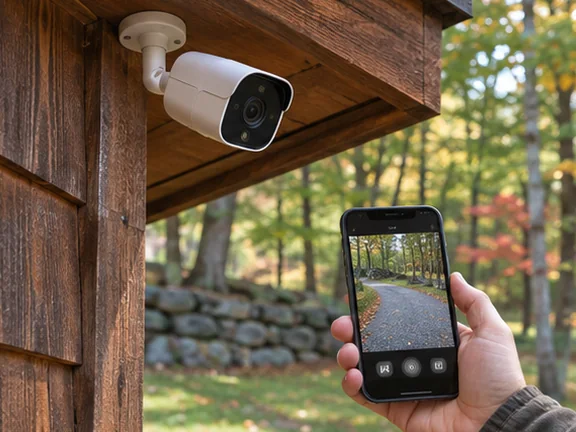
Walk to the proposed spot with your phone and test the Wi-Fi without relying on cellular data. Open a short video or run a call. A phone working there is a first check because the camera may have a different antenna. If possible, test the actual device at ground level before mounting it.
Match the device to the location
Check whether the model is rated for the outdoor conditions it will face and how it gets power. Plan safe access for changing batteries or resetting it. Before drilling or routing power, confirm what the manufacturer calls for and get qualified help with fixed electrical work when needed.
Choose a view that serves your purpose
Aim for the entry or driveway section you need to see. Review daylight and nighttime framing, and keep neighboring windows or private spaces out of the shot. Check who has app access, which alerts matter, and whether recording requires a subscription.
Verify before the visit ends
Walk through the detection area, then review the resulting clip or alert from the owner’s account. Write down how to check battery or connection status. Use a working example to confirm the camera does what you bought it for.
Separate phone coverage from a camera’s link
A phone on the porch may reach the house router while a camera mounted behind siding uses another path. Identify whether the model talks to Wi-Fi, a hub or a wired recorder. Share the distance and materials with a licensed security installer. A general house network check can be done separately.